
Compare the full schema
Diff schemas, tables, columns, indexes, keys, constraints, triggers, views, procedures, functions, types, sequences, synonyms, and DDL triggers.
Review drift before release
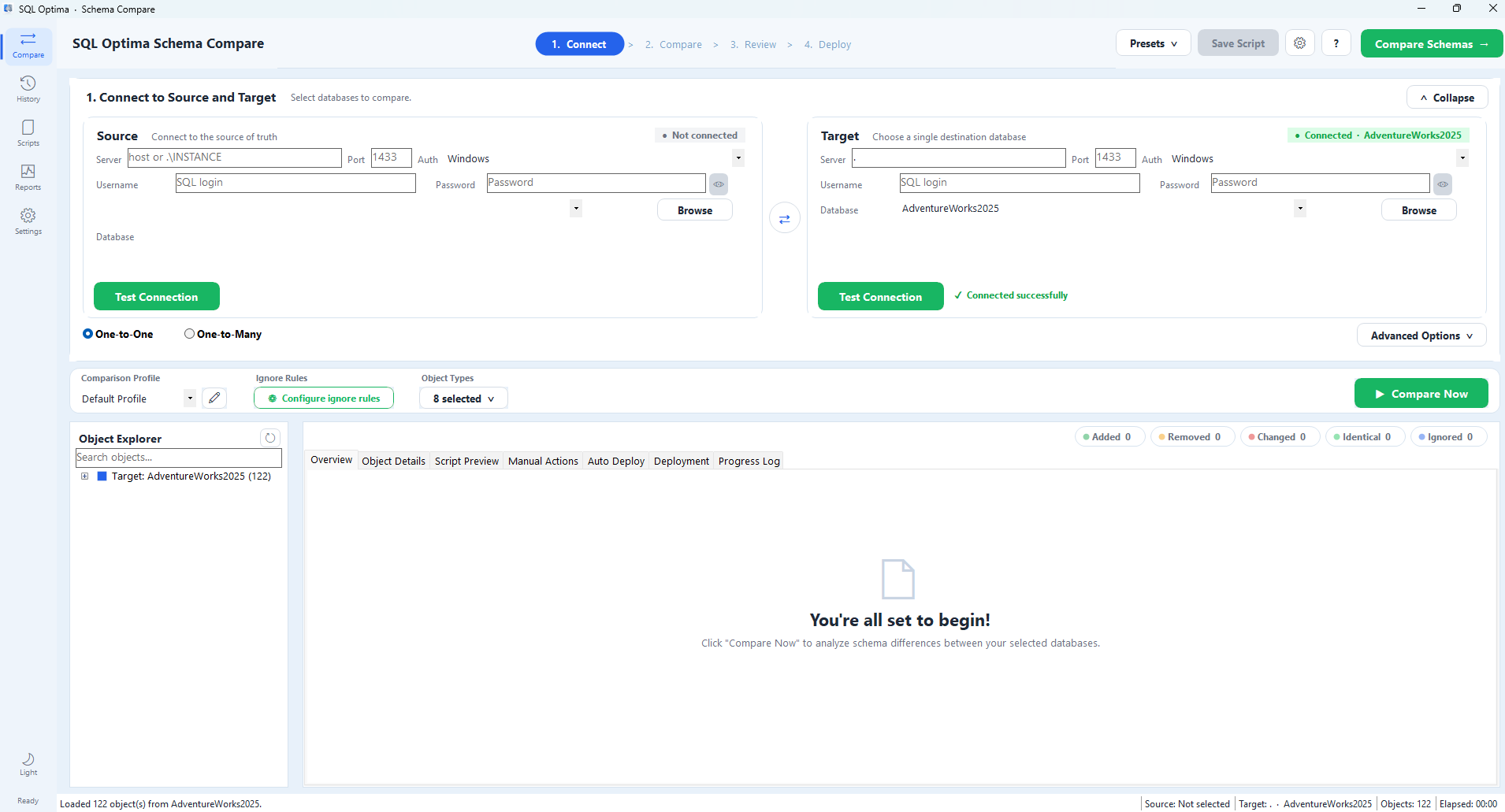
Compare a source-of-truth database with one or many targets, review every object difference, and generate a self-contained deployment script without a PowerShell runtime dependency.
What it helps you do
Diff schemas, tables, columns, indexes, keys, constraints, triggers, views, procedures, functions, types, sequences, synonyms, and DDL triggers.
Filter the color-coded object tree and inspect source and target definitions side by side before generating scripts.
Generate ordered auto scripts and a separate manual-actions list. Apply only after an explicit confirmation and verify the result.
From the repository
Verified scope
Project evidence
How it works
Choose the source database and one or more target databases, then test both connections.
Inspect added, removed, changed, identical, and ignored objects with side-by-side definitions.
Save self-contained scripts, review manual actions, and optionally apply safe scripts with post-deployment verification.
Run it yourself
$zip = Join-Path $PWD 'SqlOptima.SchemaCompare-0.0.1-win-x64.zip'
Invoke-WebRequest 'https://raw.githubusercontent.com/rsharma155/sqloptima_releases/main/sqloptima_compare/SqlOptima.SchemaCompare-0.0.1-win-x64.zip' -OutFile $zip
Expand-Archive $zip -DestinationPath '.\SqlOptima.SchemaCompare'dotnet build SqlOptima.SchemaCompare.Cli -c ReleaseSource: repository README.md ↗. Check the repository for the latest security notes, configuration options, and release status.
Explore another sqloptima product or go straight to the source.