
SQL Optima guide
Always On is a 22-phase build, not a checkbox
Sequence Always On Availability Groups from domain and WSFC through listener, failover tests, and monitoring handoff.
/*
================================================================================
Purpose:        Monitors Availability Group health, replica synchronization
                states, failover readiness, and estimated data loss (RPO).
Provides:       Replica roles, sync health, log send/redo queue sizes, rates,
                and estimated RPO (recovery point objective) in seconds.
Importance:     Essential for maintaining high availability and ensuring that
                secondary replicas are up-to-date and ready for failover.
Interpretation: Sync Health should be "HEALTHY". High log send/redo queues
indicate bottlenecks. RPO should be near 0 for sync replicas.
Action: If Sync Health is not "HEALTHY" for any replica, check network connectivity and SQL Server error logs. For high log_send_queue_size or redo_queue_size, investigate the disk I/O on the secondary (log writing) and primary (log generation) using disk_latency.sql. For synchronous replicas, RPO > 0 means data loss risk — ensure the network latency is < 10ms between replicas.
Criticality:    Critical
Author:        Ravi Sharma
================================================================================
*/

SET TRANSACTION ISOLATION LEVEL READ UNCOMMITTED;
SET NOCOUNT ON;

DECLARE @MajorVersion INT = CAST(PARSENAME(CAST(SERVERPROPERTY(N'ProductVersion') AS NVARCHAR(128)), 4) AS INT);

-- 1. Availability Group & Replica Overview
SELECT
    ag.name AS [AG_Name],
    ar.replica_server_name AS [Replica_Server],
    ars.role_desc AS [Role],
    ars.operational_state_desc AS [Operational_State],
    ars.connected_state_desc AS [Connected_State],
    ars.recovery_health_desc AS [Recovery_Health],
    ars.synchronization_health_desc AS [Sync_Health],
    CAST('Availability Group replica health overview. ' +
         'Threshold: Secondary replicas should be in SYNCHRONIZED state. ' +
         'Recommendation: Investigate any replica not in SYNCHRONIZED or SYNCHRONIZING state. Check network latency and log throughput.'
         AS VARCHAR(1000)) AS [Metric_Context]
FROM sys.dm_hadr_availability_replica_states AS ars WITH (NOLOCK)
INNER JOIN sys.availability_replicas AS ar WITH (NOLOCK)
    ON ars.replica_id = ar.replica_id
INNER JOIN sys.availability_groups AS ag WITH (NOLOCK)
    ON ars.group_id = ag.group_id
ORDER BY ag.name, ars.role_desc;

-- 2. Database-Level Synchronization Status
IF @MajorVersion >= 16
    EXEC(N'SELECT
        ag.name AS [AG_Name],
        ar.replica_server_name AS [Replica_Server],
        ars.role_desc AS [Role],
        adc.database_name AS [Database_Name],
        hds.synchronization_state_desc AS [Sync_State],
        hds.synchronization_health_desc AS [Sync_Health],
        hds.log_send_queue_size AS [Log_Send_Queue_KB],
        hds.redo_queue_size AS [Redo_Queue_KB],
        hds.log_send_rate AS [Log_Send_Rate_KB_s],
        hds.redo_rate AS [Redo_Rate_KB_s],
        hds.low_water_mark_for_ghosts AS [Low_Water_Mark],
        CAST(N''Per-database AG synchronization metrics. Threshold: Log_Send_Queue_Size and Redo_Queue_Size should be low (ideally < 1MB) in SYNCHRONIZED state. Rising send or redo queues indicate secondary replica lagging behind the primary. Recommendation: If queues grow, check network bandwidth, primary log generation rate, and secondary I/O latency.'' AS VARCHAR(1000)) AS [Metric_Context]
    FROM sys.dm_hadr_database_replica_states AS hds WITH (NOLOCK)
    INNER JOIN sys.availability_databases_cluster AS adc WITH (NOLOCK)
        ON hds.group_id = adc.group_id AND hds.group_database_id = adc.group_database_id
    INNER JOIN sys.availability_replicas AS ar WITH (NOLOCK)
        ON hds.replica_id = ar.replica_id
    INNER JOIN sys.availability_groups AS ag WITH (NOLOCK)
        ON hds.group_id = ag.group_id
    INNER JOIN sys.dm_hadr_availability_replica_states AS ars WITH (NOLOCK)
        ON hds.replica_id = ars.replica_id
    ORDER BY ag.name, adc.database_name, ars.role_desc;');
ELSE
    EXEC(N'SELECT
        ag.name AS [AG_Name],
        ar.replica_server_name AS [Replica_Server],
        ars.role_desc AS [Role],
        hds.database_name AS [Database_Name],
        hds.synchronization_state_desc AS [Sync_State],
        hds.synchronization_health_desc AS [Sync_Health],
        hds.log_send_queue_size AS [Log_Send_Queue_KB],
        hds.redo_queue_size AS [Redo_Queue_KB],
        hds.log_send_rate AS [Log_Send_Rate_KB_s],
        hds.redo_rate AS [Redo_Rate_KB_s],
        hds.log_send_time AS [Log_Send_Time_ms],
        hds.low_water_mark_for_ghosts AS [Low_Water_Mark],
        CAST(N''Per-database AG synchronization metrics. Threshold: Log_Send_Queue_Size and Redo_Queue_Size should be low (ideally < 1MB) in SYNCHRONIZED state. Rising send or redo queues indicate secondary replica lagging behind the primary. Recommendation: If queues grow, check network bandwidth, primary log generation rate, and secondary I/O latency.'' AS VARCHAR(1000)) AS [Metric_Context]
    FROM sys.dm_hadr_database_replica_states AS hds WITH (NOLOCK)
    INNER JOIN sys.availability_replicas AS ar WITH (NOLOCK)
        ON hds.replica_id = ar.replica_id
    INNER JOIN sys.availability_groups AS ag WITH (NOLOCK)
        ON hds.group_id = ag.group_id
    INNER JOIN sys.dm_hadr_availability_replica_states AS ars WITH (NOLOCK)
        ON hds.replica_id = ars.replica_id
    ORDER BY ag.name, hds.database_name, ars.role_desc;');

-- 3. Failover Readiness & Estimated Recovery (RTO / RPO)
IF @MajorVersion >= 16
    EXEC(N'SELECT
        ag.name AS [AG_Name],
        ar.replica_server_name AS [Replica_Server],
        adc.database_name AS [Database_Name],
        ars.role_desc AS [Role],
        hds.is_primary_replica AS [Is_Primary],
        hds.is_suspended AS [Is_Suspended],
        hds.suspend_reason_desc AS [Suspend_Reason],
        hds.last_commit_time AS [Last_Commit_Time],
        DATEDIFF(SECOND, hds.last_commit_time, GETDATE()) AS [RPO_Estimate_Seconds],
        CAST(N''Failover readiness assessment. Threshold: RPO_Estimate_Seconds should be as close to 0 as possible for synchronous replicas. Recommendation: If RPO exceeds SLA targets, investigate network throughput, log generation rate, and secondary replica performance. For asynchronous replicas, higher RPO is expected by design.'' AS VARCHAR(1000)) AS [Metric_Context]
    FROM sys.dm_hadr_database_replica_states AS hds WITH (NOLOCK)
    INNER JOIN sys.availability_databases_cluster AS adc WITH (NOLOCK)
        ON hds.group_id = adc.group_id AND hds.group_database_id = adc.group_database_id
    INNER JOIN sys.availability_replicas AS ar WITH (NOLOCK)
        ON hds.replica_id = ar.replica_id
    INNER JOIN sys.availability_groups AS ag WITH (NOLOCK)
        ON hds.group_id = ag.group_id
    INNER JOIN sys.dm_hadr_availability_replica_states AS ars WITH (NOLOCK)
        ON hds.replica_id = ars.replica_id
    WHERE ars.role_desc = ''SECONDARY''
    ORDER BY ag.name, adc.database_name;');
ELSE
    EXEC(N'SELECT
        ag.name AS [AG_Name],
        ar.replica_server_name AS [Replica_Server],
        hds.database_name AS [Database_Name],
        ars.role_desc AS [Role],
        hds.is_primary_replica AS [Is_Primary],
        hds.is_suspended AS [Is_Suspended],
        hds.suspend_reason_desc AS [Suspend_Reason],
        hds.last_commit_time AS [Last_Commit_Time],
        DATEDIFF(SECOND, hds.last_commit_time, GETDATE()) AS [RPO_Estimate_Seconds],
        CAST(N''Failover readiness assessment. Threshold: RPO_Estimate_Seconds should be as close to 0 as possible for synchronous replicas. Recommendation: If RPO exceeds SLA targets, investigate network throughput, log generation rate, and secondary replica performance. For asynchronous replicas, higher RPO is expected by design.'' AS VARCHAR(1000)) AS [Metric_Context]
    FROM sys.dm_hadr_database_replica_states AS hds WITH (NOLOCK)
    INNER JOIN sys.availability_replicas AS ar WITH (NOLOCK)
        ON hds.replica_id = ar.replica_id
    INNER JOIN sys.availability_groups AS ag WITH (NOLOCK)
        ON hds.group_id = ag.group_id
    INNER JOIN sys.dm_hadr_availability_replica_states AS ars WITH (NOLOCK)
        ON hds.replica_id = ars.replica_id
    WHERE ars.role_desc = ''SECONDARY''
    ORDER BY ag.name, hds.database_name;');

-- 4. AG Listener Status
PRINT '--- AG Listener Health ---';
IF @MajorVersion >= 16
    EXEC(N'SELECT
        dns_name,
        port,
        is_conformant,
        is_distributed_network_name
    FROM sys.availability_group_listeners;');
ELSE
    EXEC(N'SELECT
        dns_name,
        port,
        state_desc,
        ip_configuration_string_from_cluster
    FROM sys.availability_group_listeners;');
Review the full script and confirm the connected SQL Server instance before execution. The run instructions and output guide appear later in this article.
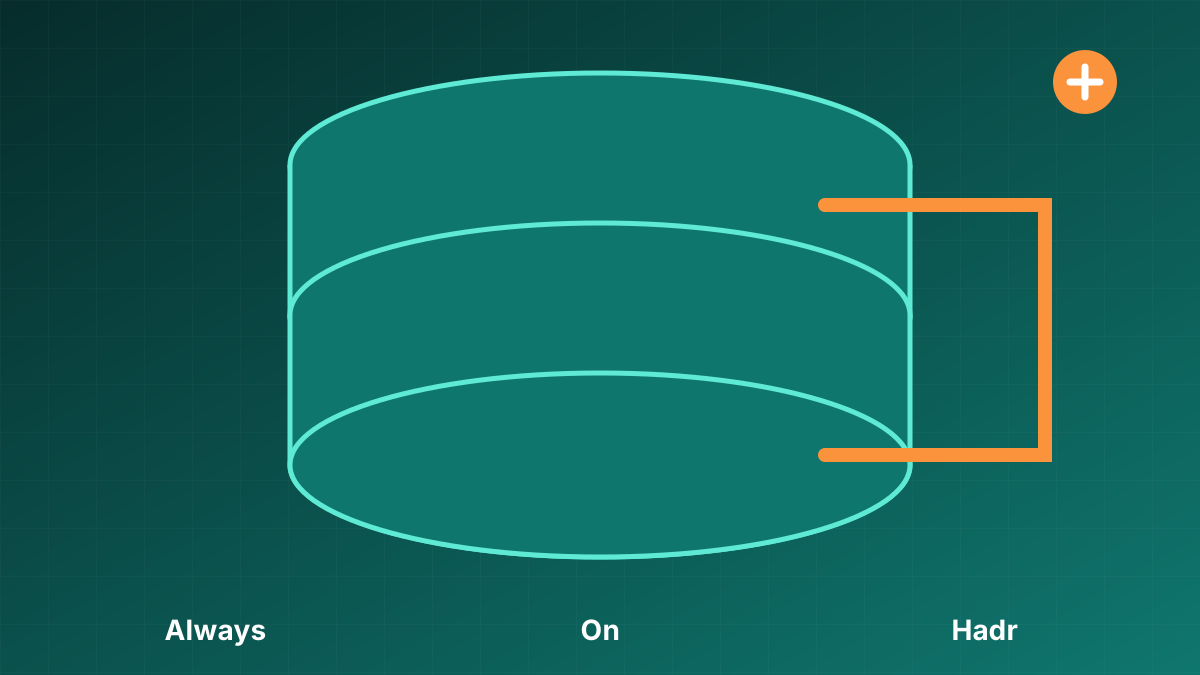
Availability Groups fail more often in the middle of the stack than in the CREATE AVAILABILITY GROUP statement: DNS, quorum, endpoints, firewall rules, and restore sequencing.
Work Always On as a phase-gated build. Do not create the listener until secondaries are synchronized and failover has been tested in the change window.
Order that reduces rework
- Infrastructure, domain, accounts, DNS, and network
- SQL install and Always On enablement
- WSFC validate → create → quorum
- Endpoints and firewall
- Backup/restore to secondaries
- AG, join, listener
- Failover test, monitoring, documentation
Start here
Why Always On deployment deserves a method
The central principle is that a healthy Availability Group depends on Windows, SQL Server, networking, endpoints, backups, and application connectivity working together. A single metric, recommendation, or successful command is not enough. The decision has to connect an observed symptom to a plausible cause, a controlled change, and a result that can be verified under the workload that matters.
Evidence to collect
Use evidence from the same time window whenever possible:
- replica readiness and synchronization state
- endpoint connectivity and permissions
- listener DNS and port reachability
- backup preference and job placement
A practical workflow
- Record prerequisites and recovery objectives.
- Build and validate replicas before joining databases.
- Test listener connectivity from an application host.
- Rehearse planned failover and failback.
Common mistakes
Avoid these shortcuts:
- treating synchronization as application readiness
- leaving jobs enabled on every replica
- skipping quorum and failure-domain review
Verification and completion
Define completion before making the change. Confirm correctness first, then compare latency, throughput, reads, CPU, waits, storage behavior, or recovery time as appropriate for Always On is a 22-phase build, not a checkbox. Test negative and boundary cases, not only the path expected to succeed. Watch the system long enough to cover the relevant workload pattern.
Download and run the diagnostic
Availability Group health monitor
Download alwayson_ag_monitor.sqlBefore you run it
- Run the script first on a non-production or read-only connection when possible.
- Review the complete SQL file before execution and confirm that the connected instance is the intended target.
- Required access: VIEW SERVER STATE and access to the Always On DMVs.
- Open SQL Server Management Studio or Azure Data Studio, connect to the instance, open the downloaded file, and select Execute. Do not run diagnostic scripts through an application login.
- Save the result grid with the server name, collection time, and incident window. DMV output changes over time and often resets after a SQL Server restart.
What the script does
Returns replica role and connection health, database synchronization state, log-send and redo queues, transfer rates, suspension state, last commit time, and an estimated RPO indicator. The download is intended for diagnosis and does not apply an automatic remediation. Read every statement anyway, especially when adapting the script for automation or a different SQL Server version.
How to read the output
Start with Sync_Health and Sync_State. A queue that grows across repeated samples matters more than one non-zero value. Compare Log_Send_Queue_KB with Log_Send_Rate_KB_s for transport pressure and Redo_Queue_KB with Redo_Rate_KB_s for secondary redo pressure. Interpret RPO in the context of synchronous or asynchronous commit.